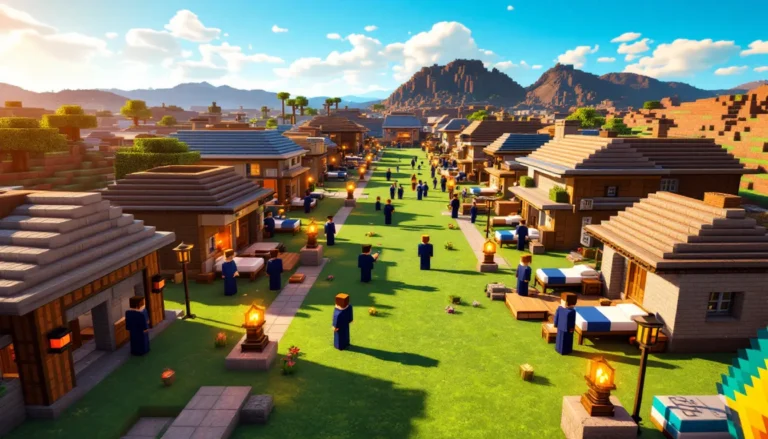
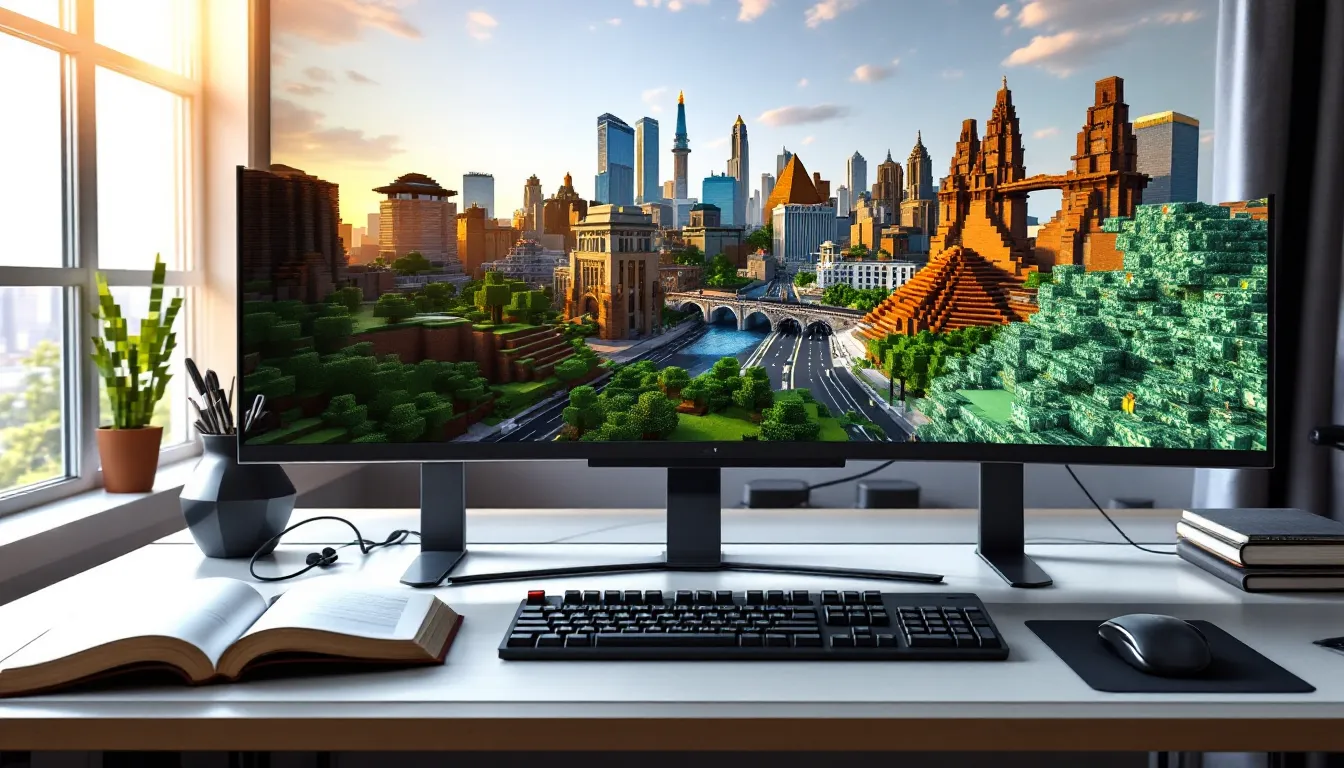
Ever wanted to walk the streets of Tokyo, climb Mount Everest, or explore the Amazon rainforest, all without leaving your Minecraft world? Earth maps bring our entire planet into the blocky sandbox we love, transforming geography into an interactive playground. These ambitious projects recreate continents, cities, and natural landmarks at staggering scales, letting players experience real-world locations through a lens most gamers never considered.
In 2026, Minecraft Earth maps have evolved far beyond early experiments. Advanced tools, community collaboration, and smarter data integration mean you can now download near-photorealistic terrain that mirrors actual elevations, roads, and coastlines. Whether you’re planning a virtual road trip across Europe, teaching a geography class, or building your hometown from scratch, Earth maps offer endless possibilities. This guide breaks down the best projects, installation steps, creative uses, and troubleshooting tips to get you exploring our world block by block.
Table of Contents
ToggleKey Takeaways
- Minecraft Earth maps use real-world GIS data and satellite imagery to recreate continents, cities, and landmarks at scales ranging from simplified to hyper-accurate 1:1 models.
- Build the Earth project is the most recognized Minecraft Earth map initiative, featuring major cities like New York, London, and Tokyo with architectural detail that requires thousands of community builders.
- Terra 1-to-1 procedurally generates Earth’s geography as you explore, offering unbuilt terrain at true scale with realistic biome placement and elevation that challenges survival players.
- Setting up a Minecraft Earth map requires 8+ GB RAM allocation, compatible mods like Cubic Chunks, and 10-50 GB storage space depending on the region, with performance mods like Sodium crucial for smooth gameplay.
- Earth maps serve educational purposes for geography and history classes, enable roleplay scenarios like geopolitical simulations, and allow players to contribute to global reconstruction projects through organized build teams.
- Common performance issues stem from high render distances and insufficient RAM; optimizations include lowering render distance to 6-8 chunks, installing performance mods, and pre-generating chunks to eliminate lag.
What Is a Minecraft Earth Map?
A Minecraft Earth map is a playable recreation of Earth’s geography inside the game, built using real-world terrain data. These maps range from simplified representations to hyper-accurate 1:1 scale models that match actual distances and elevations. Players can explore recognizable continents, navigate city layouts, and discover how real topography translates into Minecraft’s block-based environment.
Unlike hand-built fantasy worlds, Earth maps rely on Geographic Information System (GIS) data, satellite imagery, and algorithmic generation. The result feels both familiar and surreal, you’ll recognize the shape of Italy or the curve of the Grand Canyon, but rendered in textures like grass blocks, stone, and water.
How Earth Maps Are Created in Minecraft
Most Earth maps begin with elevation data pulled from sources like NASA’s SRTM or ASTER datasets. This data tells the generator how high or low each point on Earth sits relative to sea level. Specialized software, often custom-built by modding communities, reads these elevation values and converts them into Minecraft’s Y-axis coordinates.
Next, the generator assigns biomes and block types. Forests become oak or spruce trees, deserts spawn sandstone, and oceans fill with water blocks. Some advanced projects layer in OpenStreetMap data to add roads, building footprints, and urban infrastructure. The process is partly automated but often requires manual cleanup: algorithms struggle with overhangs, caves, and vertical cliffs that real terrain handles but Minecraft’s chunk system doesn’t.
Community-driven projects like Build the Earth go a step further, inviting thousands of players to hand-build structures on top of the generated terrain. That’s how you get detailed replicas of the Eiffel Tower or Grand Central Station instead of just generic building shapes.
Scale and Accuracy: Understanding the Technology Behind It
Scale is where Earth maps get technical. A 1:1 scale means one Minecraft block equals one real-world meter. Sounds perfect, right? But Minecraft’s vanilla world height was capped at 256 blocks until recent updates (now 384 in version 1.18+), which limits how tall mountains like Everest (8,849 meters) can realistically be without mods.
Projects like Terra 1-to-1 use the Cubic Chunks mod to break Minecraft’s height limit, allowing vertical terrain that actually matches Earth’s peaks and valleys. Without it, mapmakers either compress elevation (making everything shorter) or accept that some mountain ranges will feel flattened.
Accuracy also depends on data resolution. High-resolution datasets capture details down to 30 meters per pixel, but lower-res sources smudge smaller features. Roads, rivers, and coastlines might shift slightly from their real positions. For gameplay purposes, though, most Earth maps nail the big picture, you’ll have no trouble finding Paris or the Grand Canyon, even if individual streets vary by a few blocks.
Best Minecraft Earth Map Projects to Download in 2026
Dozens of Earth map projects exist, but a few stand out for ambition, community support, and download availability. Here’s what’s worth your time in 2026.
Build the Earth Project
Build the Earth (BTE) remains the most recognized Earth map initiative. Launched in 2020, it aims to recreate every building, road, and structure on the planet at 1:1 scale. The project runs on a custom Terra 1-to-1 world generator and uses a network of regional build teams coordinated through Discord servers.
As of early 2026, major cities like New York, London, Tokyo, and Berlin have significant portions completed, with thousands of builders contributing weekly. You can explore finished areas solo or join a build team to help expand coverage. The project provides free downloads for many regions through their official website, though file sizes often exceed 10 GB for densely built cities.
What sets BTE apart is its attention to architectural detail. Buildings aren’t just block approximations, they mirror real facades, window patterns, and even interior layouts when contributors have reference photos. The community also curates detailed guides for using WorldEdit, VoxelSniper, and other large-scale building tools.
Terra 1-to-1 Map
If you want raw, unbuilt terrain at true scale, Terra 1-to-1 is the go-to. This mod generates Earth’s geography procedurally as you explore, pulling elevation and biome data in real time. No pre-built structures exist, just mountains, rivers, forests, and coastlines waiting for you to shape.
Terra 1-to-1 integrates seamlessly with Forge and requires Cubic Chunks to handle vertical terrain beyond vanilla limits. Performance is surprisingly solid on mid-range PCs thanks to chunk optimization, though render distance above 16 chunks can tank FPS in mountainous regions.
Download the mod from CurseForge or its official GitHub repository. Many survival players prefer Terra 1-to-1 for the challenge of building in accurate climates and elevations, surviving in the Sahara feels different from the Amazon when biome placement mirrors reality.
Other Notable Earth Map Downloads
- Earth Map by Minecraft Maps: A pre-generated vanilla-compatible map covering all continents at roughly 1:4000 scale. Perfect for quick exploration without mods. Download size: ~1.5 GB.
- PippenFTS’s 1:1500 Scale Earth: A middle-ground option that compresses Earth into a more manageable file size (~3 GB) while keeping recognizable geography. Great for multiplayer servers that can’t handle BTE’s storage demands.
- Planet Minecraft Earth Maps: A rotating collection of user-submitted Earth maps, from city-focused builds to fantasy reimaginings of continents. Quality varies, but you’ll find unique takes like steampunk Europe or post-apocalyptic North America.
For the widest selection of community-made Earth maps and mods, browsing modding hubs can surface niche projects that align with specific playstyles.
How to Download and Install a Minecraft Earth Map
Getting an Earth map running involves a few more steps than dropping a save file into your worlds folder, especially for large-scale projects. Here’s the full process.
System Requirements and Performance Considerations
Earth maps are resource-heavy. Minimum specs for smooth gameplay:
- CPU: Intel i5-9400 / AMD Ryzen 5 3600 or better
- RAM: 8 GB allocated to Minecraft (16 GB total system RAM recommended)
- GPU: GTX 1660 / RX 580 or equivalent for stable 60 FPS at medium render distance
- Storage: 10-50 GB free space depending on the map (BTE cities can exceed 20 GB per region)
Performance tanks fast if you crank render distance above 12 chunks on massive maps. Mods like Sodium and Lithium (for Fabric) or Optifine (for Forge) cut frame drops by 30-50% in testing. Pre-allocate at least 6 GB of RAM in your launcher settings, vanilla’s default 2 GB won’t cut it.
Step-by-Step Installation Guide
Follow these steps for a typical Earth map download:
- Download the map file: Most Earth maps distribute as .zip or .rar archives. Extract the folder to your desktop first.
- Locate your Minecraft saves folder: On Windows, navigate to
%appdata%.minecraftsaves. On Mac, it’s~/Library/Application Support/minecraft/saves. On Linux, check~/.minecraft/saves. - Move the extracted map folder: Copy the entire folder (not just the files inside) into the saves directory. The folder should contain
level.dat,regionfolders, and other world data. - Install required mods (if needed): For Terra 1-to-1 or Cubic Chunks maps, download the corresponding mods from CurseForge. Place mod .jar files in your
.minecraft/modsfolder. Ensure you’re running the correct Forge or Fabric version, most Earth maps in 2026 target Minecraft 1.19.4 or 1.20.1. - Adjust settings before launching: Open your launcher, select the modded profile, and increase RAM allocation in JVM arguments (add
-Xmx6Gfor 6 GB). Set render distance to 8-10 chunks initially. - Launch and test: Load the world in singleplayer. Expect a 1-3 minute initial load for large maps. Fly around in Creative to verify terrain loads correctly before committing to survival mode.
If the map won’t load or crashes on startup, double-check mod compatibility and Minecraft version. Many Earth maps built for 1.18 won’t run on 1.20 without mod updates.
Exploring Famous Real-World Locations in Minecraft
The thrill of Earth maps is finding places you recognize. Here’s what to look for and where to start your exploration.
Iconic Cities and Landmarks
Major cities are the highlights of any Earth map. In Build the Earth, New York City showcases Times Square, Central Park, and the Brooklyn Bridge with block-perfect accuracy. Walking through Manhattan in Minecraft feels oddly meditative, no mobs, just architecture and urban planning.
Paris is another standout. The Eiffel Tower, Notre-Dame, and the Louvre have all been meticulously recreated, often with interior details that go beyond what satellites capture. BTE’s European teams prioritize historic districts, so expect cobblestone streets and cafe-lined boulevards that mirror reality.
In Asia, Tokyo’s Shibuya Crossing and Shanghai’s skyline demonstrate how Earth maps handle dense, vertical cities. Japan’s build teams excel at neon signage and compact urban design, making these zones feel authentically crowded even in an empty server.
For natural landmarks, the Grand Canyon translates beautifully into Minecraft’s layered stone biomes. The sheer scale hits harder when you’re standing at the rim in first-person. Mount Everest (on Cubic Chunks-enabled maps) lets you climb from base camp to summit, though the Y-axis climb feels endless.
Natural Wonders and Geographical Features
Beyond cities, Earth maps shine when showcasing terrain diversity. The Amazon Rainforest sprawls with dense jungle biomes, winding rivers, and elevation changes that vanilla generation can’t match. Navigating it in survival mode is legitimately challenging, no clear paths, limited sight lines, and constant tree cover.
The Sahara Desert stretches for thousands of blocks, offering a stark contrast. Some maps populate it with scattered villages and oases using OpenStreetMap data, while others leave it barren. Either way, crossing it on foot (or horseback) gives you a visceral sense of scale.
Iceland’s geothermal zones and New Zealand’s fjords are underrated gems. These regions benefit from high-res terrain data that captures ridges, valleys, and volcanic formations vanilla Minecraft rarely produces. If you’re into photography or cinematic builds, these areas provide jaw-dropping backdrops.
For something surreal, teleport to the Dead Sea (the lowest point on Earth) or the Himalayas. The elevation shifts feel dramatic when you’re flying between them in Creative mode, and survival players will notice how biome temperature affects mob spawns and crop growth.
Building and Contributing to Earth Map Projects
Downloading an Earth map is one thing, contributing to its construction is another level. Here’s how to get involved.
Joining Community Build Teams
Build the Earth runs a decentralized network of regional teams, each responsible for specific countries or cities. To join, visit the BTE website and find the Discord server for your region (or a region you want to help build). Most teams require a short application: submit screenshots of past builds or complete a trial structure to prove you can work at scale.
Once accepted, you’ll receive WorldEdit permissions and access to the team’s build guidelines. Expect rules around block palettes, roof styles, and street layouts to keep everything consistent. Some teams work asynchronously (claim a building, build it on your schedule), while others host scheduled build sessions where 20+ players construct a city block together.
Contributing is surprisingly rewarding. Seeing your apartment building or childhood school rendered in Minecraft hits different when it’s part of a global project. Plus, you’ll pick up advanced building techniques, BTE veterans can throw together a skyscraper facade in under an hour using macros and WorldEdit patterns.
Tools and Mods for Building at Scale
Large-scale building demands efficiency tools. Here’s what the pros use:
- WorldEdit: The foundation for any serious builder. Commands like
//copy,//paste, and//stacklet you duplicate structures instantly. Master brush tools for organic terrain shaping. - VoxelSniper: Ideal for smoothing terrain and adding natural details. The erosion brush makes cliffs and riverbeds look weathered instead of algorithmic.
- Axiom (new in 2025): A builder-focused mod with a UI-driven approach to WorldEdit functions. Includes real-time manipulation, symmetry modes, and undo history that persists across sessions.
- Google Earth VR / Street View: Not a Minecraft mod, but essential for reference. Most BTE builders run Street View on a second monitor to nail architectural details.
- Litematica: For importing schematic files. If someone’s already built a generic apartment or storefront, paste it in and tweak rather than starting from scratch.
Performance matters when placing millions of blocks. Install Chunky to pre-generate chunks around your build site, prevents lag spikes when WorldEdit loads new terrain. Many modding communities offer performance plugins tailored for large creative servers.
Creative Uses for Minecraft Earth Maps
Earth maps aren’t just for sightseeing. Players have found inventive ways to leverage accurate geography.
Educational Applications and Virtual Field Trips
Teachers have latched onto Earth maps as immersive learning tools. Geography classes use them to teach plate tectonics (show students the Andes mountain range forming along a subduction zone) or climate zones (compare the Sahara to the Amazon side-by-side). History lessons get a boost when students explore ancient cities like Rome or Athens, especially if build teams have reconstructed historical architecture.
Some educators run guided “field trips” on private servers, teleporting students to the Great Wall of China or Machu Picchu while narrating. The interactivity beats a slideshow, students can measure distances, note elevation changes, and even build their own interpretations of historical events.
A few universities have partnered with BTE teams to create campus maps for virtual orientations. Incoming freshmen “walk” through dorms and lecture halls before arriving on campus, reducing first-week anxiety.
Roleplaying and Custom Game Modes
Roleplay servers have migrated to Earth maps for grounded scenarios. Instead of fantasy kingdoms, you get geopolitical simulators: players form nations, control real territories, and engage in diplomacy (or warfare) using actual borders. Plugins like Towny and Nations add mechanics for claiming land, taxation, and alliances.
Custom game modes thrive on Earth maps:
- Risk-style conquest: Teams spawn on different continents and expand influence through PvP battles or trade agreements.
- Pandemic survival: A zombie outbreak starts in one city: players must quarantine regions and evacuate to safe zones using real transportation routes.
- Treasure hunt races: Admins hide artifacts at famous landmarks. First team to collect five wins. The scale of Earth maps makes these marathons, expect multi-hour sessions.
- Historical reenactments: World War II servers recreate battles using Earth terrain. Players join Axis or Allies, and server rules enforce era-appropriate equipment (no modern weapons or tech).
Survival servers on Terra 1-to-1 maps lean into realism. Starting in Siberia versus the Mediterranean fundamentally changes your strategy, biome placement affects food sources, building materials, and even travel speed.
Troubleshooting Common Issues with Earth Maps
Earth maps push Minecraft to its limits. Here’s how to fix the most frequent problems.
Performance Lag and Optimization Tips
Lag is the #1 complaint. If you’re getting sub-30 FPS or frequent stutters, try these fixes:
- Lower render distance to 6-8 chunks: Earth maps load far more complex terrain than vanilla worlds. Even high-end GPUs struggle above 12 chunks.
- Disable fancy graphics: Turn off smooth lighting, clouds, and particles. Swap to fast graphics mode.
- Install Sodium + Lithium + Starlight (Fabric): This trio of performance mods can double your FPS. Sodium alone is worth 40-60% gains in chunk-heavy scenarios.
- Use Optifine cautiously: Great for shaders, but sometimes conflicts with Cubic Chunks or Terra 1-to-1. Test compatibility before committing.
- Pre-generate chunks: Run the Chunky mod overnight to pre-load a 5,000-block radius around your spawn. Eliminates generation lag during exploration.
- Increase RAM allocation to 8+ GB: Open your launcher profile settings and edit JVM arguments. Replace
-Xmx2Gwith-Xmx8G(adjust based on total system RAM). - Close background apps: Chrome tabs, Discord streams, and other programs steal RAM and CPU cycles. Minecraft needs all the headroom it can get.
If you’re running a server, switch to Paper or Purpur instead of vanilla. They optimize chunk loading and entity ticking, critical for maps with thousands of pre-built structures.
Compatibility Problems and Solutions
Mod version mismatches cause 90% of crashes. If your Earth map requires Forge 1.19.4 but you’re running 1.20.1, it won’t load. Check the map’s download page for exact version requirements and match them precisely.
Cubic Chunks not loading: Ensure Cubic Chunks is compatible with your Forge/Fabric version. As of 2026, Cubic Chunks for 1.20+ is still in beta, many maps stick to 1.18.2 or 1.19.4 for stability.
Missing biomes or incorrect terrain: This usually means the map’s world generator mod isn’t installed. Terra 1-to-1 requires both the mod and a specific data pack. Download both from the official source and verify they’re active in your mods folder.
World won’t load past “Building Terrain”: Either your RAM allocation is too low, or the map’s file size exceeds what your system can handle. Try allocating more RAM first. If that fails, download a smaller region or compressed version of the map.
Server connection issues: If joining a multiplayer Earth map server, make sure you have the exact mod loadout the server requires. Some servers provide a modpack download link, use that instead of manually assembling mods.
Conclusion
Minecraft Earth maps transform the game into a canvas for geographic exploration, education, and creativity. Whether you’re downloading Build the Earth to wander through Tokyo, generating raw terrain with Terra 1-to-1 for a survival challenge, or joining a build team to recreate your hometown, these projects prove Minecraft’s versatility extends far beyond randomly generated worlds.
The technical hurdles, RAM allocation, mod compatibility, file sizes, are real, but the payoff is worth it. Few gaming experiences match the surreal moment of finding your own street or scaling Everest one block at a time. As community tools improve and more regions get built out, Earth maps will only become more detailed and accessible.
Grab a map, fire up Creative mode, and start exploring. The whole planet’s waiting, block by block.