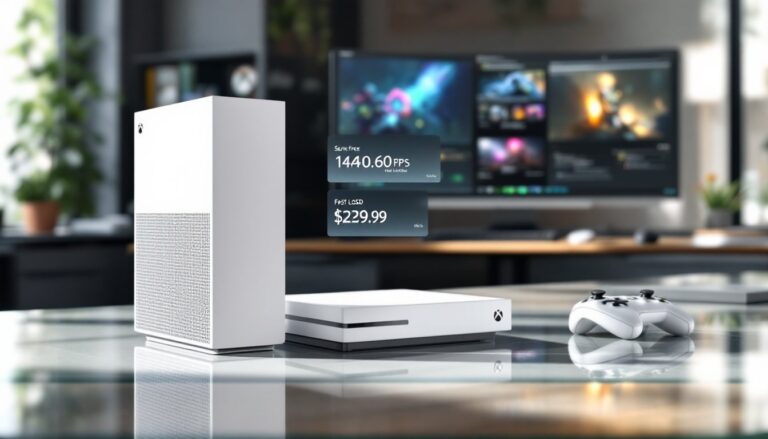
Three years into its lifecycle, the Xbox Series S remains one of the most divisive consoles Microsoft has ever released. It’s the cheapest entry point into current-gen gaming, packing legitimate next-gen features into a box smaller than most gaming routers. But that low price and compact form factor come with compromises that some gamers still can’t stomach.
If you’re deciding whether the Series S makes sense in 2026, whether you’re upgrading from last-gen, adding a second console, or buying your first Xbox, you need the straight facts. This guide cuts through the marketing noise to examine real-world performance, storage reality, game compatibility, and whether Microsoft’s budget box still delivers value now that we’re deeper into the generation.
Table of Contents
ToggleKey Takeaways
- The Xbox Series S delivers legitimate next-gen gaming at 1440p resolution for $299, making it the most affordable entry point into current-generation consoles, though it targets 1080p-1440p rather than 4K like the Series X.
- Storage management is the Xbox Series S’s biggest limitation, with only 364GB of usable space on the 512GB SSD, forcing frequent game uninstalls or expensive proprietary expansion cards when playing modern 100GB+ titles.
- Game Pass transforms the Series S’s value proposition, turning the digital-only constraint into an advantage for subscribers who access 400+ games monthly for $16.99 rather than paying $60-70 per new release.
- The Xbox Series S handles backward compatibility exceptionally well through FPS Boost and Auto HDR features, making thousands of Xbox One and older titles run faster and with improved graphics on current hardware.
- The compact 4.25-pound form factor and minimal space requirements make the Xbox Series S ideal for bedroom gaming, dorm rooms, or as a secondary console paired with PlayStation 5 or PC gaming.
- Skip the Xbox Series S if you own a 4K TV, collect physical games, or require maximum graphics performance—the visual compromises on 4K displays and lack of disc drive eliminate core use cases for these buyers.
What Is the Xbox Series S?
The Xbox Series S is Microsoft’s digital-only, budget-focused ninth-generation console. Launched in November 2020 alongside the more powerful Series X, it targets 1440p gaming at up to 120fps while maintaining compatibility with the entire Xbox ecosystem.
Think of it as the Series X’s little sibling, same architectural DNA, scaled-down specs. It ditches the optical drive entirely, forcing you into the digital ecosystem whether you like it or not. That decision alone makes or breaks the console for many buyers.
Key Specifications and Hardware Overview
The Series S runs a custom 8-core AMD Zen 2 CPU clocked at 3.6GHz (3.4GHz with SMT enabled), identical to the Series X’s processor. Where it diverges sharply is the GPU: a custom RDNA 2 chip delivering 4 teraflops of processing power compared to the Series X’s 12 teraflops.
Here’s the core spec breakdown:
- GPU: 20 CUs at 1.565GHz (4 TFLOPS)
- Memory: 10GB GDDR6 (8GB at 224GB/s, 2GB at 56GB/s)
- Storage: 512GB custom NVMe SSD (2.4GB/s raw throughput)
- Resolution target: 1440p at 60fps, with 120fps support
- Expandable storage: Proprietary Seagate expansion card slot
- Dimensions: 275mm × 151mm × 63mm (roughly 60% smaller than Series X)
The console weighs just 4.25 pounds, making it genuinely portable. You can toss it in a backpack for LAN parties or dorm room gaming without breaking your spine.
How the Series S Differs from Series X
The performance gap between S and X isn’t just about resolution. The Series X delivers 12 teraflops versus the S’s 4, three times the raw GPU power. It targets native 4K gaming where the S aims for 1440p, and it includes a 4K Blu-ray drive the S completely lacks.
Memory allocation matters more than casual buyers realize. The Series X has 16GB of unified GDDR6 memory, all running at high bandwidth. The Series S’s 10GB pool splits into 8GB at full speed for GPU tasks and 2GB at reduced bandwidth for system operations. Developers occasionally struggle with this configuration, especially when downporting games designed for Series X’s generous memory headroom.
Storage represents another divide: 1TB on Series X versus 512GB on Series S. Given that modern games like Starfield consume 125GB+ installs, this becomes a real headache fast.
Price-wise, the Series X typically retails around $499, while the S hovers near $299 (though sales frequently drop it to $249). That $200 gap buys you triple the GPU power, double the storage, physical media support, and genuine 4K output. Whether that’s worth it depends entirely on your setup and priorities.
Performance and Gaming Experience
Let’s talk real-world performance, not marketing promises. The Series S delivers legitimate next-gen experiences, but understanding its limitations prevents buyer’s remorse.
Frame Rates and Resolution Capabilities
Most Series S titles target 1080p to 1440p resolution with varying frame rate options. Games with performance modes often hit 60fps or even 120fps, while quality modes push resolution higher at 30fps.
In practice, resolution varies wildly by title. Halo Infinite runs at dynamic 1080p-1440p at 60fps in its performance mode, dropping to 30fps for the quality preset. Forza Horizon 5 maintains 1080p at 60fps or offers a 30fps mode with higher visual fidelity. Competitive shooters like Call of Duty: Modern Warfare III support 120fps modes at reduced resolution, usually around 1080p or lower.
Some developers struggle to optimize for the S’s constraints. Baldur’s Gate 3 famously delayed its Xbox release partly due to split-screen performance issues on Series S hardware. When the game finally shipped, the S version ran at 30fps compared to 60fps on Series X, with split-screen cut entirely.
If you’re gaming on a 1080p or 1440p display, the Series S punches well above its weight class. The visual compromises become far more noticeable on 4K TVs, where upscaling artifacts and lower native resolution stand out.
Load Times and SSD Performance
The Series S’s custom NVMe SSD delivers near-instant load times that embarrass last-gen consoles. The raw 2.4GB/s throughput (4.8GB/s compressed with DirectStorage API) means most games load in under 10 seconds from cold boot to gameplay.
The Elder Scrolls Online loads into Tamriel in roughly 8 seconds. Fast traveling across Elden Ring takes 3-5 seconds. Respawning after deaths in Dark Souls III happens almost instantly. Quick Resume, Microsoft’s feature that suspends multiple games in memory, lets you switch between titles in 5-10 seconds without reloading.
Compared to Xbox One’s mechanical hard drives, which could take 45-90 seconds for initial loads, the difference feels transformative. Even compared to the Xbox Series S vs Microsoft Xbox One S Specs, the generational leap in load performance is massive.
Ray Tracing and Graphics Quality
The Series S supports hardware-accelerated ray tracing through its RDNA 2 architecture, but don’t expect miracles. The limited GPU power means ray-traced effects arrive with significant compromises.
Games that carry out ray tracing on Series S typically use it sparingly. Minecraft offers full ray-traced rendering at reduced resolution. Forza Horizon 5 uses ray tracing exclusively in Forzavista showcase mode, not during actual gameplay. Control: Ultimate Edition includes ray-traced reflections and lighting but runs at 30fps with noticeably lower resolution than Series X.
Texture quality, draw distances, and particle effects generally match Series X output, but at lower resolution. Shadow quality and ambient occlusion sometimes take hits to maintain frame rates. According to testing from outlets like Windows Central, many Series S titles use dynamic resolution scaling that can drop below 1080p during intense action sequences.
Storage: Managing the 512GB SSD
The Series S’s storage situation ranges from “manageable” to “infuriating” depending on your gaming habits. This is where the budget pricing really bites back.
Actual Usable Storage Space
Out of the box, the 512GB SSD provides roughly 364GB of usable space after accounting for system files and OS overhead. That sounds reasonable until you start installing modern games.
Here’s how quickly space evaporates:
- Call of Duty: Modern Warfare III: ~140GB
- Starfield: ~125GB
- Red Dead Redemption 2: ~120GB
- Microsoft Flight Simulator: ~100GB (more with premium content)
- Halo Infinite: ~50GB
- Forza Horizon 5: ~100GB
Install COD and Starfield alone and you’re down to roughly 100GB remaining. Add two more AAA titles and you’re playing the uninstall-reinstall game constantly.
Some Series S versions of games are smaller than their Series X counterparts, developers can omit 4K texture packs and higher-resolution assets. NBA 2K24 clocks in around 110GB on Series S versus 150GB on Series X. But not all developers optimize this way, and the savings aren’t always dramatic.
Expansion Options and External Storage Solutions
You have three storage expansion routes, each with trade-offs:
1. Seagate Storage Expansion Card (Official)
This proprietary 1TB NVMe card slides into the dedicated slot on the back of the console, matching the internal SSD’s performance exactly. Games run directly from it with zero performance penalty.
The downside? Price. The 1TB card retails for $149-$179, sometimes dropping to $130 on sale. A 2TB version exists for around $280. That’s expensive compared to PC NVMe drives, but it delivers plug-and-play simplicity.
2. External USB HDD/SSD
Any USB 3.0 external drive works for storing Xbox One, Xbox 360, and original Xbox titles. You can play backward-compatible games directly from external storage without issues. Many gamers rely on external storage solutions to manage their expanding libraries.
Series S/X optimized titles can be stored on external drives but must be transferred to internal or expansion card storage to actually play. Transfer speeds via USB 3.0 range from 50-100MB/s depending on the drive, meaning moving a 100GB game takes 15-30 minutes.
Decent 2TB external SSDs run $80-$120. Mechanical HDDs are cheaper ($50-$70 for 2TB) but slower for transfers.
3. Juggling Installs
If you primarily play 2-3 games at a time, the internal storage works fine. Uninstall finished games, reinstall when you want to revisit. With decent internet speeds (100Mbps+), redownloading beats managing external drives for some users.
Cloud saves mean you never lose progress. Game Pass titles redownload anytime. Physical collectors obviously can’t do this, oh wait, the Series S has no disc drive anyway.
Game Library and Compatibility
The Series S plays virtually everything in the Xbox ecosystem, from original Xbox titles to brand-new releases. But how those games actually perform varies considerably.
Xbox Game Pass Integration
The Series S feels purpose-built for Game Pass, Microsoft’s Netflix-for-games subscription. At $10.99/month for Console Game Pass or $16.99/month for Game Pass Ultimate (includes PC, cloud gaming, and Xbox Live Gold), it’s the ideal pairing for a digital-only console.
Game Pass Ultimate provides access to 400+ titles, including day-one releases of all Microsoft first-party games. Starfield, Forza Motorsport, Halo Infinite, Gears 5, and hundreds of others download instantly without additional purchase.
For Series S owners without physical media options, Game Pass transforms the value proposition entirely. Instead of paying $70 per new release, you’re accessing dozens of premium titles for the price of one game every few months. Resources like Pure Xbox track new additions and departures from the service monthly.
The math works especially well for players who jump between games frequently rather than committing to single titles for months. Download, try, delete, repeat, the Series S’s strengths align perfectly with this workflow.
Backward Compatibility with Xbox One and 360 Games
Microsoft’s backward compatibility program supports thousands of Xbox One titles plus select Xbox 360 and original Xbox games. The Series S runs these with meaningful improvements over original hardware.
Xbox One games benefit from:
- Auto HDR: Automatically adds HDR color to SDR games that didn’t originally support it
- FPS Boost: Doubles or quadruples frame rates on select titles (over 130 games supported)
- Improved load times: The SSD dramatically cuts loading even in older games
- Stable performance: Frame rate drops and screen tearing largely disappear
Red Dead Redemption 2 runs at stable 30fps with faster loads. Fallout 4 hits 60fps via FPS Boost where it struggled to maintain 30fps on Xbox One. The Witcher 3 (pre-next-gen update) ran at 60fps on Series S through FPS Boost.
Xbox 360 and original Xbox titles run through emulation with enhanced resolution (up to 1440p) and 16x anisotropic filtering. Games like Oblivion, Fallout 3, and Red Dead Redemption look surprisingly sharp.
Optimized vs. Non-Optimized Titles
“Optimized for Series S
|
X” means developers specifically enhanced the game for ninth-gen hardware. These titles leverage the custom SSD, faster CPU, and RDNA 2 GPU features. They also require installation on the internal SSD or expansion card, they won’t run from external USB storage.
Optimized games typically deliver:
- Higher resolutions (1080p-1440p vs. 900p-1080p on Xbox One S)
- 60fps or 120fps performance modes
- Ray tracing support (limited)
- Faster load times via DirectStorage API
- Better texture filtering and draw distances
Non-optimized titles still benefit from the Series S’s raw power boost. They load faster and maintain more stable frame rates through brute-force processing, but don’t receive specific next-gen enhancements unless developers patch them.
Over 500 titles currently carry Series S
|
X optimization, with major releases continuing to add support. The growing library means buyers in 2026 have substantially more optimized content than launch-day adopters in 2020.
Who Should Buy the Xbox Series S in 2026?
The Series S isn’t for everyone, and pretending otherwise does nobody favors. Let’s break down who actually benefits from Microsoft’s compact budget box.
Best Use Cases and Gaming Scenarios
The Series S excels in specific scenarios:
1080p Gamers Without 4K TVs
If your primary display is 1080p or 1440p, the Series S delivers excellent visual quality at its target resolution. The performance gap with Series X shrinks considerably when you’re not pushing 4K pixels. The upscaling artifacts and resolution compromises that bother 4K TV owners simply don’t exist at native 1080p.
Game Pass Subscribers
For players committed to Game Pass, the digital-only nature becomes an advantage rather than limitation. You’re not buying physical games anyway. The $200+ saved versus Series X buys years of Game Pass subscriptions. Pair the initial savings with Game Pass Ultimate and you’re looking at incredible value for variety-focused gamers.
Secondary Console Buyers
Own a PlayStation 5 or gaming PC as your primary platform? The Series S makes an excellent secondary device for Xbox exclusives and Game Pass. The $299 price point (often less on sale) feels reasonable for accessing Starfield, Forza, Halo, and hundreds of Game Pass titles without committing to a full-price Series X.
Bedroom/Portable Gaming
The compact form factor suits small spaces, dorm rooms, or traveling. At 4.25 pounds with a tiny footprint, it’s genuinely portable. Some gamers buy it specifically for bedroom gaming while keeping a more powerful console in the living room.
Budget-Conscious First-Time Console Buyers
If $299 stretches the budget but $499 breaks it, the Series S delivers legitimate current-gen gaming at the lowest entry cost. Pair it with a few months of Game Pass and new players access hundreds of titles immediately. Understanding more about the Xbox ecosystem helps first-time buyers navigate their options.
Families and Kids
The lower price makes it easier to justify for children’s rooms or family gaming. Parents less worried about cutting-edge 4K performance and more focused on value find the S compelling.
When to Choose Series X or PlayStation 5 Instead
Don’t buy the Series S if:
You Game on a 4K TV
The visual compromises become obvious on larger 4K displays. Upscaled 1080p-1440p looks soft compared to native 4K, and the lower detail settings in quality modes frustrate pixel-peepers. If you invested in premium display tech, feed it proper resolution.
You Want Physical Media
No disc drive means no used games, no game trading, no physical collection building, and no 4K Blu-ray movies. Digital pricing rarely matches physical sale prices, and you’re locked into Microsoft’s ecosystem with zero alternatives. Reports from sites like The Verge consistently show physical games drop in price faster than digital equivalents.
You Play Performance-Demanding Titles Exclusively
If your library consists primarily of massive, graphics-intensive games (Cyberpunk 2077, Starfield, Baldur’s Gate 3, Microsoft Flight Simulator), the Series X’s extra headroom delivers noticeably better experiences. The S handles these games, but with compromises that might bug you.
You Hate Managing Storage
The 364GB usable space becomes maddening if you frequently play 10+ different games. Constant install juggling or buying expensive proprietary expansion cards eats into the initial savings.
You’re a Physical Game Collector
This should be obvious, but if you value building physical libraries, the S literally cannot accommodate that hobby.
Pricing and Value Proposition
Understanding the true cost of Series S ownership extends beyond the sticker price. Let’s examine the financial reality in 2026.
Current Retail Prices and Bundle Deals
The Xbox Series S officially retails at $299.99 as of March 2026, though frequent sales drop it to $249.99 or even $229.99 during holiday periods. Microsoft occasionally bundles controllers, Game Pass trials, or specific games at the base price.
Available bundles currently include:
- Series S + 3 months Game Pass Ultimate: Often around $299-$319
- Series S + extra controller: Typically $329-$349
- Series S + Forza Horizon 5 or other first-party title: $329
Refurbished units from Microsoft or authorized retailers sometimes appear at $199-$229, offering additional savings for budget shoppers willing to skip pristine packaging.
Compare this to the Series X at $499.99 (rarely discounted) and PlayStation 5 at $499.99 ($449.99 for digital edition). The S undercuts competitors by $150-$200, the clearest advantage it offers.
Cost Over Time: Game Pass vs. Physical Games
The digital-only nature forces a long-term financial calculation that favors certain buying patterns over others.
Game Pass Scenario
- Console: $299
- Game Pass Ultimate (3 years): $611 ($16.99/month × 36)
- Total 3-year cost: $910
For that investment, you access 400+ games including all Microsoft first-party releases day one. If you play just 10-15 Game Pass games per year that you’d otherwise buy, the value calculation tips heavily in Game Pass’s favor.
Digital Purchase Scenario
- Console: $299
- 8 new games/year at $60 average (sales/older titles): $480/year
- Total 3-year cost: $1,739
Digital sales occasionally match physical discounts, but Steam-level pricing rarely appears on Xbox. Patient gamers willing to wait 6-12 months post-release find decent deals, but day-one buyers pay full freight with no resale option.
Physical Collection Scenario (Not possible on Series S)
- Series X Console: $499
- 8 new games/year at $45 average (physical sales, used, trade-ins): $360/year
- Total 3-year cost: $1,579
Physical collectors often spend less long-term by buying used, trading games, and catching retail sales. The Series S locks you out of this economy entirely.
The value proposition hinges almost entirely on Game Pass adoption. Without it, the Series S costs more over time than a disc-equipped console for anyone buying 5+ full-price games annually.
Accessories and Upgrades Worth Considering
The base Series S package includes the console, one controller, an HDMI 2.1 cable, and a power cord. Here’s what else you might want.
Controllers and Charging Solutions
The included Xbox Wireless Controller uses AA batteries by default, a design choice that frustrates some users and delights others. You have options:
Xbox Rechargeable Battery Pack ($24.99)
Microsoft’s official rechargeable solution includes a battery pack and USB-C charging cable. The battery lasts roughly 30 hours per charge and eliminates disposable battery waste. It charges via USB-C while you play.
Xbox Controller + Rechargeable Battery Bundle ($69.99)
For a second controller, this bundle packages both together at slight savings versus buying separately.
Play and Charge Kit ($24.99)
Similar to the rechargeable battery, includes a longer cable for playing while charging.
Third-Party Rechargeable Battery Packs ($15-$20)
Brands like PowerA and Energizer offer cheaper alternatives with similar performance. Some include dual-controller charging stands.
Elite Wireless Controller Series 2 ($179.99)
Microsoft’s premium controller features interchangeable thumbsticks, adjustable tension, paddle buttons, and a built-in rechargeable battery. It’s overkill for casual play but beloved by competitive gamers. The price represents 60% of the Series S console cost, so think carefully before dropping that much on a controller.
Headsets and Audio Enhancements
The Series S supports standard 3.5mm headsets via the controller jack plus wireless audio through USB dongles or Xbox Wireless protocol.
Xbox Wireless Headset ($99.99)
Microsoft’s official wireless headset delivers solid audio quality, comfortable padding, and 15-hour battery life. It connects directly to the console without dongles and supports spatial audio formats. Not audiophile-grade, but competent for the price.
SteelSeries Arctis 7X ($149.99)
Wireless, multi-platform compatible (works on Xbox, PlayStation, PC, Switch), and featuring excellent audio quality. The battery lasts 24+ hours and the build quality surpasses Microsoft’s offering.
HyperX CloudX Stinger Core ($49.99)
Budget wired option with decent audio and a comfortable fit. The microphone quality isn’t spectacular but works fine for party chat. For detailed comparisons, reviews of Xbox-compatible headsets cover a range of price points.
Dolby Atmos for Headphones ($14.99 one-time purchase)
This software license enables spatial audio in supported games, creating 3D soundscapes through any headset. Games like Halo Infinite, Call of Duty, and Resident Evil Village support it. The difference in directional audio cues can be substantial in competitive shooters.
External Speakers/Soundbars
The Series S outputs audio via HDMI or optical (through compatible adapters). Any soundbar or speaker system works, though Dolby Atmos passthrough requires HDMI eARC support on your TV and audio equipment.
Common Issues and Troubleshooting Tips
The Series S generally runs reliably, but a few issues crop up often enough to warrant discussion.
Overheating and Ventilation Concerns
The Series S’s compact design packs significant power into minimal space, raising heat management questions. The console uses a single 130mm fan and vapor chamber cooling to dissipate heat through the large circular vent on top.
Under normal conditions, the Series S runs quiet and cool. The fan remains nearly silent during light gaming (indie titles, backward-compatible games) and ramps up moderately during demanding titles. It rarely hits the noise levels of the original Xbox One or PlayStation 4.
Preventing Overheating
- Maintain clearance: Keep at least 4-6 inches of space around all vents, especially the top exhaust and side intakes
- Vertical orientation: The console is designed for vertical placement. Horizontal works but reduces airflow efficiency
- Avoid enclosed cabinets: Don’t trap it inside TV stands with closed backs or limited ventilation
- Clean dust regularly: Compressed air blown through vents every 2-3 months prevents dust accumulation
- Monitor room temperature: Gaming in excessively hot rooms (85°F+) stresses cooling systems
If the console shuts down unexpectedly, it’s likely overheating. The system includes thermal protection that forces shutdown before damage occurs. Let it cool for 30-60 minutes, improve ventilation, and restart.
Some users report fan noise increasing over time. This typically indicates dust buildup. More ambitious users comfortable with opening their console can perform deeper cleaning, though this risks voiding warranties.
Connectivity and Network Problems
Network issues frustrate Series S owners occasionally, usually stemming from Wi-Fi configuration or ISP quirks rather than hardware defects.
Wi-Fi vs. Ethernet
The Series S includes 802.11ac dual-band Wi-Fi (2.4GHz and 5GHz) plus a gigabit Ethernet port. Wired connections always deliver better stability and lower latency for online gaming.
If Wi-Fi is your only option:
- Use 5GHz band when possible for faster speeds and less interference
- Position the console within clear line-of-sight to your router if feasible
- Avoid placing it inside metal TV stands or near thick walls
- Update router firmware regularly
Download Speed Issues
Slow download speeds even though fast internet often trace to:
- Network congestion: Too many devices saturating bandwidth
- ISP throttling: Some providers throttle Xbox Live traffic during peak hours
- DNS settings: Switching to Google DNS (8.8.8.8 / 8.8.4.4) or Cloudflare (1.1.1.1) sometimes improves speeds
Can’t Connect to Xbox Live
If Xbox Live refuses to connect:
- Test network connection in Settings > Network settings
- Check Xbox Live status for outages
- Restart your router and console
- Verify NAT type (Open or Moderate: Strict causes issues)
- Forward ports on your router if NAT shows as Strict
Controller Disconnection
Wireless controllers occasionally disconnect due to:
- Low battery: Swap batteries or charge rechargeable packs
- Interference: Other wireless devices (routers, smartphones, wireless speakers) on 2.4GHz can interfere
- Firmware outdated: Update controller firmware via Settings > Devices & connections > Accessories
- Physical obstruction: Keep clear line-of-sight between controller and console
Console Won’t Turn On
If the console fails to power on, possible fixes include:
- Unplug the power cable, wait 30 seconds, reconnect
- Try a different power outlet to rule out electrical issues
- Hold the Xbox button on the console for 10 seconds to force a hard reset
- Check for power brick issues (though Series S uses an internal PSU, cable damage can occur)
Persistent power issues may indicate hardware failure requiring Microsoft support. For broader troubleshooting strategies, guides covering common Xbox startup problems apply to Series S as well.
Conclusion
The Xbox Series S in 2026 remains what it’s always been: a carefully calculated compromise that trades raw power and flexibility for affordability and accessibility. Three years into its lifecycle, the library of optimized titles has matured substantially, Game Pass continues delivering value, and the hardware still feels genuinely current-gen even though spec limitations.
It’s not the console for everyone. 4K enthusiasts, physical media collectors, and players who demand maximum visual fidelity will always find it lacking. But for 1080p gamers, Game Pass subscribers, budget buyers, and anyone seeking a compact secondary console, the Series S delivers far more than its price suggests.
The storage situation remains the most legitimate frustration, 364GB disappears fast in 2026’s 100GB+ game landscape. Factor expansion costs into your budget or embrace the uninstall-reinstall lifestyle. Beyond that, performance holds up remarkably well, backward compatibility keeps extensive libraries relevant, and the SSD makes last-gen load times feel ancient.
If the Series S matches your use case and gaming habits, $299 buys legitimate next-gen gaming with minimal compromises at your target resolution. If it doesn’t, you’ll know within the first month and regret not spending the extra $200. Know which camp you’re in before you buy.