
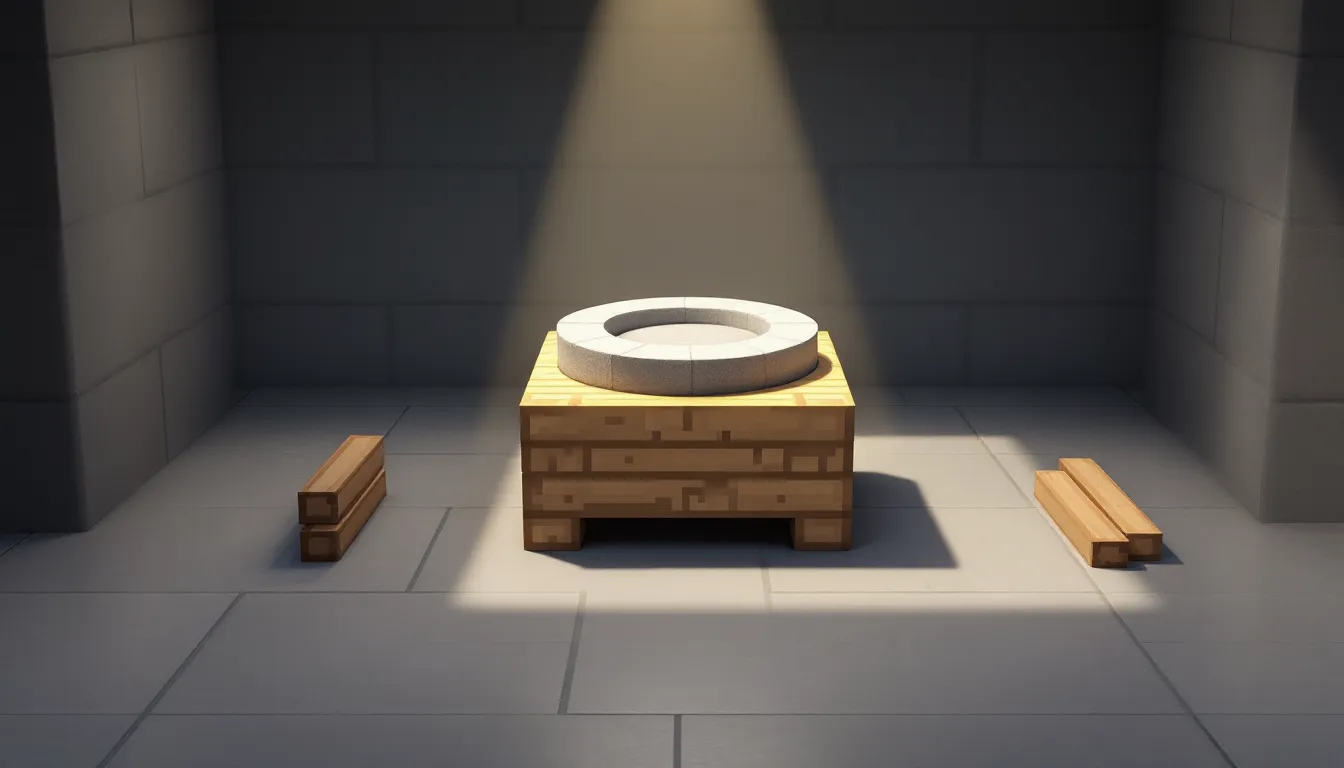
The grindstone is one of those Minecraft blocks that doesn’t get much hype until you desperately need it. You’ve got a perfectly good diamond sword with Bane of Arthropods IV that you looted from a temple chest, but you’d rather have Sharpness on it. Or maybe you’ve burned through an entire dungeon crawl and your gear is one hit away from breaking. That’s when the grindstone becomes your best friend.
This block does two things exceptionally well: it strips enchantments from items and repairs gear without the escalating cost headaches that anvils bring. Whether you’re managing your enchantment library, maintaining your arsenal, or setting up a weaponsmith in your village, understanding how to craft and use a grindstone is essential knowledge for any Minecraft player in 2026.
Table of Contents
ToggleKey Takeaways
- A grindstone recipe in Minecraft requires 2 sticks, 2 wooden planks, and 1 stone slab, with the critical step being smelting cobblestone into stone before crafting the slab.
- Grindstones remove enchantments (except curses) and repair gear at zero experience cost, making them superior to anvils for long-term item maintenance.
- Use a grindstone to strip unwanted enchantments like Bane of Arthropods, reclaim experience points, and reset items before re-enchanting at your enchanting table.
- Grindstones serve as job site blocks that convert unemployed villagers into weaponsmiths, unlocking trades for enchanted diamond weapons and other combat gear.
- A grindstone never hits the ‘Too Expensive’ limit that anvils face, allowing unlimited free repairs by combining two damaged items of the same type.
- Strategic base placement near your enchanting setup, smelting room, and Nether hub ensures quick access for gear management and XP recovery throughout your gameplay.
What Is a Grindstone in Minecraft?
A grindstone is a utility block introduced in the Village & Pillage update (Java Edition 1.14, Bedrock Edition 1.9.0). Its primary functions are removing enchantments from items and repairing equipment without spending experience levels.
Unlike an anvil, which preserves and combines enchantments at an increasing XP cost, the grindstone takes a different approach. It completely removes enchantments (except for curses like Curse of Binding or Curse of Vanishing) and returns a portion of the experience points that were originally used to apply those enchantments. This makes it invaluable when you want to recycle enchanted gear or reset an item to its base state.
The grindstone also serves as a job site block for villagers. When placed near an unemployed villager, it turns them into a weaponsmith, allowing you to trade for emeralds, enchanted diamond swords, and other combat-related items. This dual functionality makes the grindstone useful for both solo survival and village trading setups.
How to Craft a Grindstone: Complete Recipe and Materials
Materials You’ll Need
Crafting a grindstone requires three different material types:
- 2× Sticks: Crafted from any wooden planks. One plank yields four sticks.
- 2× Wooden Planks: Any wood type works (oak, birch, spruce, jungle, acacia, dark oak, mangrove, cherry, bamboo, or crimson/warped planks). They don’t need to match.
- 1× Stone Slab: Specifically a stone slab, not cobblestone slab. You’ll need to smelt cobblestone into stone, then craft the stone into slabs. One stone block yields six stone slabs.
The stone slab requirement is the only slightly tricky part. New players sometimes try using cobblestone slabs and wonder why the recipe doesn’t work. You must smelt the cobblestone first.
Step-by-Step Crafting Instructions
- Gather wood: Chop down any tree and convert logs into planks.
- Craft sticks: Place two planks vertically in your crafting grid to get four sticks.
- Obtain cobblestone: Mine at least one cobblestone block with a wooden pickaxe or better.
- Smelt stone: Place cobblestone in a furnace with any fuel source to create stone.
- Craft stone slabs: Place three stone blocks horizontally in a crafting table to get six stone slabs. You only need one for the grindstone.
- Assemble the grindstone: Open your crafting table and arrange materials as follows:
- Top row: Stick, Stone Slab, Stick
- Middle row: Wooden Plank, (empty), Wooden Plank
- Bottom row: (empty), (empty), (empty)
Once placed correctly, the grindstone will appear in the result slot. Shift-click to move it to your inventory.
Where to Find Grindstones Naturally in Minecraft
Village Weaponsmith Houses
Grindstones generate naturally in weaponsmith houses within villages. These structures are identifiable by their distinctive forge setup, often featuring a furnace, crafting table, and the grindstone itself. Weaponsmith houses can spawn in any village biome, plains, desert, savanna, taiga, and snowy tundra villages all have their own architectural variations.
If you’re exploring early game and spot a village, checking the weaponsmith is worthwhile. You can mine the grindstone with any tool or even your hand (though a pickaxe is fastest) and take it with you. This saves the minor hassle of smelting stone for a slab.
Other Natural Spawn Locations
Weaponsmith houses are currently the only natural spawn location for grindstones in vanilla Minecraft as of version 1.20.6 (latest Java release in early 2026). They don’t generate in other structures like strongholds, temples, or bastions.
But, when players discuss advanced game strategies, finding villages early becomes a priority not just for trading but for acquiring job site blocks like grindstones, blast furnaces, and smithing tables without needing to craft them.
How to Use a Grindstone: Core Functions Explained
Removing Enchantments from Items
To remove enchantments, right-click the grindstone to open its interface. You’ll see two input slots at the top and one output slot at the bottom.
Place any enchanted item in either input slot. The output slot will display the same item without its enchantments (curses excluded). When you take the item from the output slot, you’ll receive experience orbs based on the enchantments removed.
This is particularly useful for situations like:
- Removing unwanted enchantments from loot (like Bane of Arthropods from a diamond sword)
- Clearing enchantments before applying new ones at an enchanting table
- Recycling enchanted books that aren’t useful for your build
- Recovering XP from gear you’re about to retire
Important limitation: Cursed items retain their curses. A helmet with Curse of Binding will still have that curse after grinding. The curse persists until the item breaks or you die (in the case of Curse of Binding).
Repairing Tools, Weapons, and Armor
The grindstone can combine two damaged items of the same type to repair them. Place two damaged items (like two iron pickaxes) in the two input slots. The output will be a single item with durability equal to the sum of both inputs, plus a 5% bonus.
For example, if you have two diamond swords each at 50% durability, combining them in a grindstone gives you one sword at 105% of the original max durability (essentially fully repaired with a small bonus).
Key advantages over anvil repair:
- No experience cost for repairs
- No “Too Expensive.” limitation that anvils eventually hit
- Doesn’t preserve enchantments, which is sometimes exactly what you want
The repair function works on any tools, weapons, or armor pieces made from wood, stone, iron, gold, diamond, or netherite. It also works on enchanted items, though all enchantments will be removed in the process (and you’ll receive some XP back).
Understanding Experience Point Returns
When you remove enchantments using a grindstone, you receive a portion of the experience points that were spent applying those enchantments. The exact amount depends on the level and number of enchantments.
The XP return isn’t a full refund, you typically get back around 50-70% of what was originally spent, depending on the enchantment complexity. For highly enchanted gear with multiple max-level enchantments, this can add up to several levels worth of experience, making the grindstone a decent way to reclaim resources when retiring old equipment.
Many players following optimization guides incorporate grindstone XP recovery into their enchanting workflow, especially when fishing for specific enchantment combinations on books.
Grindstone vs. Anvil: Which Should You Use?
Key Differences Between Grindstone and Anvil
Both blocks handle item modification, but they serve opposite purposes:
Grindstone:
- Removes enchantments (except curses)
- Repairs items by combining two of the same type
- Costs zero experience to use
- Returns some XP when removing enchantments
- Cannot rename items
- Never becomes “Too Expensive”
Anvil:
- Combines and preserves enchantments
- Repairs items using material units (iron ingots, diamonds, etc.) or combines two items while keeping enchantments
- Costs increasing levels of experience with each use on the same item
- Can rename items
- Eventually hits a “Too Expensive.” cap (39 levels) that prevents further modifications
- Takes damage and breaks after repeated use
The anvil’s escalating cost and durability loss make it unsuitable for simple repairs once you’ve used it multiple times on the same piece of gear. The grindstone never has this problem.
When to Use a Grindstone Over an Anvil
Choose the grindstone when:
- You don’t care about preserving enchantments: If you’re repairing unenchanted tools or you’re willing to sacrifice enchantments for free repairs, the grindstone is the clear choice.
- You want to remove specific enchantments: Found a god-tier diamond chestplate but it has Thorns III (which you hate because it damages your armor)? Grind it off and re-enchant.
- Your item has hit the anvil cost limit: Once an item reaches the “Too Expensive” threshold, an anvil becomes useless. A grindstone can still repair it by combining with another damaged copy.
- You’re managing an enchantment library: When sorting through enchanted books from villager trading or fishing, you’ll often want to remove low-level or incompatible enchantments. The grindstone handles this without XP cost.
- You need XP back: If you’re low on levels and have enchanted gear you’re about to retire, grinding it gives you a decent XP injection.
Use an anvil when you specifically need to preserve and combine enchantments, rename items, or repair enchanted gear using raw materials while keeping all enchantments intact.
Advanced Grindstone Strategies for Efficient Gameplay
Optimizing Enchantment Management
Veteran players treat enchantments like a resource economy. Here’s how grindstones fit into advanced enchantment workflows:
Book cycling: When villager trading, you’ll accumulate dozens of enchanted books. Some will have conflicting or low-level enchantments (like Protection I or Efficiency II). Rather than letting these clog your storage, grind them for XP and recycle the plain books into bookshelves or new enchanting attempts.
Fishing farm cleanup: AFK fishing produces tons of enchanted items, some valuable, many not. Set up a grindstone near your fishing spot. After each session, grind the junk enchanted bows and fishing rods, reclaim the XP, and use the unenchanted items for repair fodder or smelting (if they’re tools).
Selective enchantment removal: You can’t pick which enchantments to remove, it’s all or nothing. But smart players work around this by keeping duplicate gear. Say you get a diamond pickaxe with Fortune III and Efficiency V, but also Silk Touch (making Fortune useless). Keep the item as-is if you want Silk Touch, or grind it and re-enchant for a pure Fortune/Efficiency combo.
Cost-Effective Gear Repair Techniques
Grindstones shine in long-term gear maintenance:
Duplicate gear strategy: Keep two or three copies of your main tools with the same enchantments. When they’re both damaged, combine them in the grindstone for a full repair at zero cost, then re-enchant if needed. This works especially well for diamond and netherite gear where the material cost for anvil repairs gets expensive.
Curse removal workaround: While grindstones can’t remove curses directly, you can use them to strip everything else off a cursed item, then decide if the curse alone is tolerable. For Curse of Vanishing on a strong piece of gear, you might keep it if you don’t plan on dying.
Repair chains: In a long mining session, carry two pickaxes. When the first breaks, switch to the second. By the time both are damaged, combine them at your base grindstone for a fresh tool. Repeat indefinitely without spending XP or materials.
Setting Up Grindstones in Your Base
Strategic placement matters:
- Near your enchanting setup: Place a grindstone adjacent to your enchanting table and anvil. This creates a complete enchantment workshop where you can enchant, modify, combine, or strip enchantments all in one area.
- In your smelting/sorting room: If you have an item sorting system or automated farms producing enchanted gear (like mob grinders), put a grindstone there for quick processing.
- One in your Nether hub: When exploring fortresses or bastion remnants, you’ll collect lots of enchanted gear. Having a grindstone at your Nether portal hub lets you process items before hauling them home.
- Multiple grindstones don’t hurt: Unlike anvils (which are expensive), grindstones are cheap. Craft several and place them wherever you might need quick repairs or enchantment removal.
When building comprehensive base layouts, players researching efficient construction techniques often dedicate entire rooms to utility blocks, ensuring every tool has a designated spot.
Using Grindstones to Change Villager Jobs
Beyond item management, the grindstone functions as a job site block for villager profession assignment. When you place a grindstone near an unemployed villager (one without a profession or job site), that villager will claim it and become a weaponsmith.
Weaponsmiths offer valuable trades:
- Novice: Buys coal and iron, sells iron axe
- Apprentice: Buys iron and emeralds, sells bell
- Journeyman: Buys flint, sells iron sword and enchanted iron sword
- Expert: Buys diamonds, sells enchanted diamond sword
- Master: Buys emeralds, sells enchanted diamond axe
The enchanted diamond weapons from master-level weaponsmiths can roll with Sharpness V, Knockback II, Fire Aspect II, and other top-tier enchantments, making them excellent trade targets.
How to set it up:
- Find or transport an unemployed villager (green coat, no profession badge).
- Place a grindstone within the villager’s detection range (roughly 16 blocks).
- The villager will path to the grindstone and claim it, changing to the weaponsmith skin (black apron, eye patch in Java Edition).
- Trade with the villager to unlock higher-tier trades.
Job site stealing prevention: If you already have a weaponsmith and place a new grindstone, unemployed villagers might claim it instead of your existing weaponsmith changing stations. To avoid confusion, either lock in your weaponsmith’s trades by trading with them at least once (which permanently assigns that job site) or ensure no unemployed villagers are nearby.
Resetting trades: If you don’t like the trades your weaponsmith offers, you can break the grindstone before trading with them, which resets their profession. Place the grindstone again, and they’ll reroll their trade offers. This works only on villagers you haven’t traded with yet.
Common Grindstone Mistakes to Avoid
Using cobblestone slabs instead of stone slabs: This is the most frequent crafting error. The recipe specifically requires stone slabs, which means you must smelt cobblestone into stone first, then craft slabs from that stone. Cobblestone slabs won’t work.
Expecting curses to be removed: Curse of Binding and Curse of Vanishing are permanent. The grindstone cannot remove them. If you grind a cursed item, you’ll get back a clean item with the curse still attached. Plan accordingly when dealing with cursed loot.
Forgetting that repair removes enchantments: When you combine two enchanted items in a grindstone for repair, all enchantments are stripped. If you want to keep the enchantments while repairing, use an anvil with raw materials instead. The grindstone is for when you don’t care about the enchantments or actively want them gone.
Not accounting for XP returns: The experience points you get back from grinding enchanted items can add up. Before grinding multiple items, make sure you’re not close to a level threshold you’re trying to maintain (like staying under level 30 for certain XP farm efficiency reasons, though this is niche). Generally, though, the XP return is a benefit, not a drawback.
Trying to grind non-repairable items: The grindstone only works on tools, weapons, armor, and enchanted books. You can’t grind things like enchanted tridents if they’re not repairable in the traditional sense, but wait, tridents are repairable. You can’t grind music discs or other non-equipment items, obviously, but that should be intuitive.
Breaking a claimed grindstone and losing a weaponsmith: If a villager has claimed a grindstone and you’ve traded with them, that villager is permanently a weaponsmith even if you break the grindstone. But if you haven’t traded yet, breaking it will remove their profession. Don’t accidentally reset your carefully curated villager trades by moving grindstones around carelessly.
Placing too many grindstones near villagers: If you have multiple unemployed villagers and place several grindstones, you’ll end up with multiple weaponsmiths. This isn’t necessarily bad, but it can clutter your villager trading hall if you were planning for profession diversity. Plan your job site block placement intentionally.
Conclusion
The grindstone might not have the flashy appeal of an enchanting table or the upgrade prestige of a smithing table, but it’s an essential block for long-term Minecraft efficiency. Whether you’re stripping bad enchantments, maintaining your gear without the anvil cost spiral, or setting up a weaponsmith for diamond sword trades, the grindstone handles critical tasks that no other block can match.
Craft one early, place it strategically, and you’ll wonder how you ever managed without it. Keep a few scattered around your base, and you’ll always have a zero-cost solution for gear management. Master its uses, and you’ll stretch your resources further than players who rely solely on anvils and raw materials.