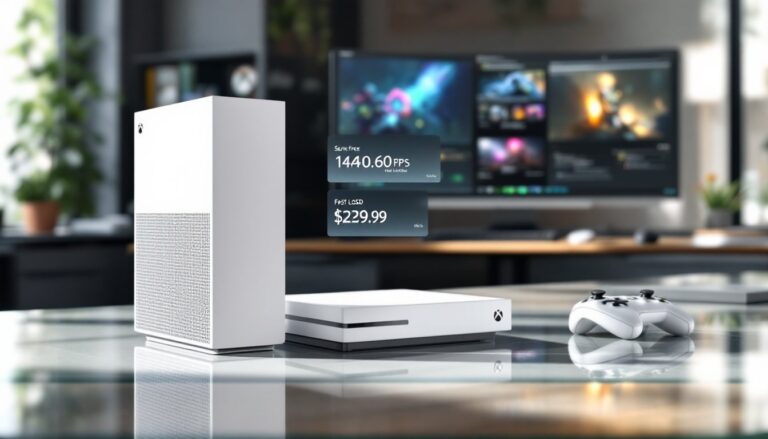
The Xbox Series S remains one of gaming‘s best-kept secrets in 2026. While the industry chased 4K and raw power, Microsoft quietly delivered a console that plays the same next-gen games at a fraction of the price. It’s digital-only, compact enough to fit anywhere, and packed with current-generation architecture, Zen 2 CPU, RDNA 2 GPU, and an SSD-powered experience that crushes the previous generation. For gamers on a budget, or anyone hunting for a second console without very costly, the Series S still delivers genuine next-gen performance. If you’re eyeing an Xbox and want to know whether the Series S stacks up, or you’re curious how it compares to its beefier sibling, this breakdown covers everything that matters.
Table of Contents
ToggleKey Takeaways
- The Xbox Series S delivers next-gen gaming performance at 1440p up to 120 FPS with a compact digital-only design at a fraction of the price of premium consoles.
- Xbox Series S features current-generation architecture with a Zen 2 CPU, RDNA 2 GPU delivering ~4.0 TFLOPS, and ~2.4 GB/s NVMe SSD throughput that crushes previous-generation load times.
- Game Pass transforms the Series S into a library-first experience by offering first-party exclusives on day one, EA Play access, and cloud gaming, making the total cost significantly lower than buying a premium console.
- The Series S plays the same next-gen titles as the Series X including Starfield, Forza Horizon 5, and Halo Infinite with only resolution-target differences, not gameplay compromises.
- With 512 GB or 1 TB internal storage expandable to 4 TB via the Series X|S Storage Expansion Card, the Series S provides practical storage solutions for digital libraries and backward-compatible games.
- Choose Xbox Series S if you game on 1080p or 1440p displays, prefer digital ownership, value compact form factors, or want current-gen performance without the premium price tag of the Series X.
Hardware Specs and Performance Breakdown
Let’s get specific, because gamers hate vague claims. The Series S rocks a custom AMD 8-core Zen 2 CPU running at 3.6 GHz (3.4 GHz with SMT), paired with an AMD RDNA 2 GPU delivering ~4.0 TFLOPS of single-precision performance across 20 compute units clocked at 1.565 GHz. That’s roughly three times the raw GPU power of an Xbox One S.
Memory setup is 10 GB total GDDR6 RAM split into two pools: 8 GB at 224 GB/s bandwidth and 2 GB at 56 GB/s. Storage comes in at 512 GB or 1 TB of NVMe SSD with ~2.4 GB/s throughput, fast enough that load times feel genuinely next-gen. Need more space? The Xbox Series X
|
S Storage Expansion Card bumps capacity up to 4 TB, and you can park last-gen titles on external USB drives.
Performance targets sit at 1440p up to 120 FPS with 4K upscaling via hardware acceleration. Ray tracing, variable refresh rate, and Auto HDR all work out of the box. No optical drive means it’s strictly digital, if you go Series S, you’re committed to downloads or Game Pass. The slim chassis and lower power draw are bonuses if your setup runs hot or you’re already sweating the electricity bill.
Game Library and Exclusive Titles Worth Playing
Here’s the reality: the Series S plays the exact same next-gen library as the Series X. Starfield, Forza Horizon 5, Halo Infinite, Microsoft Flight Simulator, Hellblade II, all native Series X
|
S titles run on the S without compromise in gameplay, just at lower resolution targets.
Backward compatibility is where the Series S flexes. Games from Xbox One, Xbox 360, and original Xbox run and often look better thanks to Auto HDR and faster load times. You won’t get the Xbox One X’s enhanced modes, but what you get runs smoothly.
First-party exclusives drive the appeal: Sea of Thieves, Grounded, Hi-Fi Rush, Forza Motorsport (2023), and a constantly rotating Game Pass lineup mean you’ve always got fresh titles to try. If exclusive performance matters, competitive shooters, frame-rate-critical games, the Series S can feel underpowered on demanding AAA titles when chasing high frame rates at native res. But for most genres and settings, 1440p at 60–120 FPS is more than playable.
Game Pass: Why It’s the Real Value Proposition
Game Pass is the reason Series S makes financial sense. This subscription service gives you access to a rotating library of first-party and third-party games. New Xbox Game Studios titles drop on day one. That’s Starfield, Hellblade II, and future releases available immediately upon release without buying separately.
EA Play is included on higher Game Pass tiers, unlocking FIFA/FC, Madden, Apex Legends, and others. Cloud gaming works where supported, meaning you can stream games to compatible devices if you’re away from your console. For a digital-only console with limited storage, Game Pass transforms the Series S from a risky purchase into a library-first experience.
The math is simple: Series S + Game Pass subscription costs less than a single premium console. You’re trading upfront hardware investment for ongoing subscription access. For casual to mid-core gamers, it’s a no-brainer. Competitive players or 4K enthusiasts might feel differently, but for value-per-dollar, nothing in gaming beats this combo in 2026.
Setup and Getting Started with Your Console
Setting up is straightforward. Connect an HDMI 2.0 or 2.1 cable to your TV or monitor, plug in the power cable, and hold the Xbox button. The console powers on and prompts you to pair the controller. Follow the on-screen flow: create or sign into your Microsoft account, pick your region, configure privacy settings, and connect to Wi-Fi or Ethernet.
Next, jump into Settings and enable 120 Hz, VRR, and HDR if your display supports them. This unlocks the performance ceiling and makes games look sharp. Sign into the Xbox Store or Game Pass, start downloading whatever catches your eye, and you’re gaming within minutes.
Storage strategy matters since you’ve got 512 GB or 1 TB. Install everyday titles to the internal SSD for speed: shuffle last-gen games or less-played titles to external USB storage or the expansion card. Game Pass makes this easier, download what you want to play now, delete later, repeat. No need to buy everything at once.
Xbox Series S vs. Xbox Series X: Which Console Is Right for You
The Xbox Series X hits different specs: ~12.15 TFLOPS from 52 compute units at 1.825 GHz, 16 GB GDDR6 RAM, 1 TB or 2 TB SSD, and a UHD Blu-ray drive. It targets native 4K resolution and has more memory headroom for demanding engines. If you’re gaming on a 4K TV or you want maximum performance cushion on ultra-demanding titles, Series X is the play.
But here’s what matters: both consoles share the same CPU architecture, the same feature set (ray tracing, VRR, Auto HDR, SSD-first design), and play the same games. The difference is resolution targets and performance stability on maxed-out settings. Series S targets 1440p: Series X chases 4K. Most people can’t afford or justify the price jump unless they’re already rocking a high-end 4K display.
Choose Series S if you game on 1080p or 1440p displays, prefer digital libraries, want a compact form factor, or simply don’t want to spend extra. Choose Series X if you’re invested in 4K, want physical media, need the extra VRAM for pro work, or game at competitive settings where every frame matters. A detailed comparison of is worth reviewing if you’re genuinely torn. For budget-conscious gamers, though, Series S is the smarter choice, it’s current-gen without the premium price tag.
Conclusion
The Xbox Series S in 2026 proves that cutting-edge gaming doesn’t require cutting-edge pricing. With Zen 2 power, RDNA 2 graphics, lightning-fast storage, and Game Pass legitimacy, it delivers genuine next-gen performance at 1440p without apology. It’s the budget console that refused to compromise on architecture. For casual players, second-console buyers, or anyone skeptical of $500+ hardware, the Series S remains the best value in gaming.