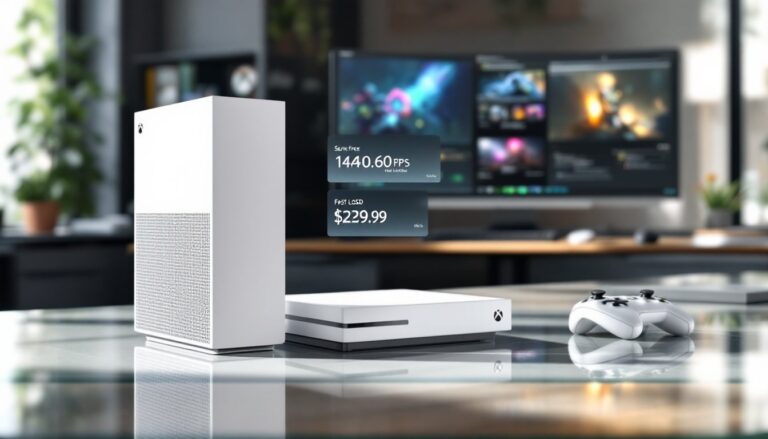
The Xbox One X launched in November 2017 as Microsoft’s premium 4K gaming powerhouse, and while it’s no longer in production, it remains a formidable machine on the used market. Whether you’re hunting for an affordable entry into 4K gaming or need a reliable multimedia hub, the Xbox One X delivers genuine performance that still holds up in 2026. This guide breaks down exactly what you’re getting, from raw hardware specs to real-world gaming performance, so you can make an well-informed choice before pulling the trigger on a purchase.
Table of Contents
ToggleKey Takeaways
- The Xbox One X remains a powerful 4K gaming choice in 2026, delivering native 4K resolution with 6.0 TFLOPS of GPU performance that still holds up against modern gaming demands.
- With access to thousands of backwards-compatible titles across Xbox One, Xbox 360, and original Xbox libraries, the Xbox One X offers exceptional value as a cost-effective entry into premium gaming.
- Proper configuration is essential to unlock full performance—enabling 4K UHD, HDR10, Game Mode on your TV, and wired Ethernet connection are critical setup steps for optimal results.
- The used market offers significantly lower prices than at launch, making the Xbox One X an affordable alternative to current-generation consoles for gamers building a collection on a budget.
- Beyond gaming, the Xbox One X functions as a reliable multimedia hub with 4K UHD Blu-ray support and media capabilities, maximizing its value in your entertainment setup.
What Is the Xbox One X and Why It Still Matters
The Xbox One X is a mid-generation refresh that Microsoft released to combat aging hardware and the growing demands of modern games. Codenamed “Scorpio” during development, it was designed as a premium alternative to the base Xbox One, offering substantially more processing power for higher resolutions and better performance.
While newer consoles like the Xbox Series X
|
S have taken over as the current generation, the Xbox One X remains relevant for several reasons. First, it’s readily available on the second-hand market at significantly lower prices than when it was new. Second, it supports the entire Xbox One backwards-compatible library, thousands of titles spanning multiple generations. Third, its 4K UHD Blu-ray drive and powerful internals make it a solid media hub beyond gaming. If you’re building a gaming collection without very costly, the Xbox One X punches above its weight class.
Hardware Specifications and Performance Breakdown
Processing Power and Graphics Capabilities
The Xbox One X packs a custom 8-core AMD CPU running at 2.3 GHz paired with a custom GPU delivering 6.0 TFLOPS of raw computing power. For context, that’s roughly 4.6 times more powerful than the base Xbox One and significantly ahead of the PS4 Pro’s 4.2 TFLOPS. The GPU features 40 compute units clocked at 1.172 GHz with Polaris-based architecture, technology that still handles modern workloads impressively.
Memory-wise, the console has 12 GB of GDDR5 RAM with 326 GB/s bandwidth, split across gaming and system tasks. The 1 TB internal HDD provides sufficient storage for a decent library, though many gamers add external USB drives for additional capacity.
What does this mean in practice? The Xbox One X can render games at native 4K resolution (3840×2160) or use checkerboard techniques to achieve near-native quality while maintaining stable frame rates. A detailed review from The Verge confirmed the console’s ability to deliver genuine 4K gaming at launch. HDR10 support enhances color depth and contrast, making visuals pop on compatible displays. Games like Halo 5, Gears 5, and Red Dead Redemption 2 benefit from higher quality shadows, improved draw distance, and sharper textures compared to their base Xbox One counterparts.
The system also supports supersampling, which renders at 4K then downsamples to 1080p displays for pixel-perfect clarity, a feature that eliminates aliasing and delivers crisp visuals on older screens. This flexibility means the Xbox One X adapts to your setup, whether you own a high-end 4K TV or a standard 1080p monitor.
Game Library and Backwards Compatibility
One of the Xbox One X’s greatest strengths is its access to an enormous backwards-compatible library. It plays every Xbox One game released during the console’s lifespan, and Microsoft continues to enhance select titles with Xbox One X-specific optimizations. These “Xbox One X Enhanced” games deliver higher resolutions, improved frame rates, better textures, and more stable performance compared to their base Xbox One versions.
Beyond that, the console supports selected backward-compatible Xbox 360 and original Xbox titles. Microsoft’s backward compatibility program means hundreds of older games run on newer hardware, often with enhancements like higher resolution and better filtering applied automatically. Games like Halo: Combat Evolved, Gears of War, and Splinter Cell are enhanced and playable.
Access to Game Pass (depending on Microsoft’s current support window) gives you thousands of titles on subscription, making the Xbox One X a cost-effective way to build a massive gaming library. A comprehensive buying guide from GameSpot details exactly how the X stacks up against other Xbox models in terms of game availability and value.
Setup, Features, and Network Optimization
Essential Settings for Best Gaming Performance
Getting your Xbox One X dialed in properly makes a massive difference in how games look and play. Start with your display settings: navigate to Settings > Display & Sound and ensure “Resolution” is set to 4K UHD (if your TV supports it) and toggle “Allow 4K” and “Allow HDR10” on. These settings unlock the full potential of the hardware.
Next, match your color settings to your TV. Most 4K televisions run 10-bit color depth with YCC 4:2:2 color space, but some support full 4:4:4. Check your TV’s manual or settings menu to confirm, then adjust the console accordingly. Incorrect color settings can result in crushed blacks or washed-out colors.
Enable Game Mode on your TV, this is critical. Game Mode reduces input lag and disables motion smoothing, giving you the fastest, most responsive experience possible. Even a 50ms difference in latency is noticeable in competitive games.
For audio, the Xbox One X supports bitstream output with Dolby Atmos and DTS:X on compatible systems. If your receiver or soundbar supports these formats, enable bitstream mode in Settings > Audio & Music. If not, uncompressed 5.1 or 7.1 surround sound delivers excellent results.
Network optimization matters for online gaming. Use wired Ethernet whenever possible, it eliminates Wi-Fi interference and packet loss. Position your router to minimize obstacles between the console and antenna if you must use Wi-Fi: the 5 GHz band offers faster speeds and lower latency than 2.4 GHz. Enable QoS (Quality of Service) on your router if available to prioritize gaming traffic over background downloads.
For power management, “Instant-on” mode keeps the console warm and ready for quick gaming sessions with faster system updates, while “Energy-saving” mode reduces power consumption at the cost of longer startup times. Choose based on your usage habits and electricity costs. The console draws roughly 245 W during gameplay, so energy-conscious players might prefer the latter option.
Conclusion
The Xbox One X is discontinued but far from dead. In 2026, it remains a smart purchase for gamers seeking affordable 4K performance, extensive backward compatibility, and reliable media capabilities. Its hardware still delivers compelling results across a massive library of titles, and the used market offers exceptional value. If you’re stepping up from a base Xbox One or exploring console gaming without premium pricing, the Xbox One X earns its place in your entertainment setup.